I am god damn news
Aulu wrote me, aulu owns me
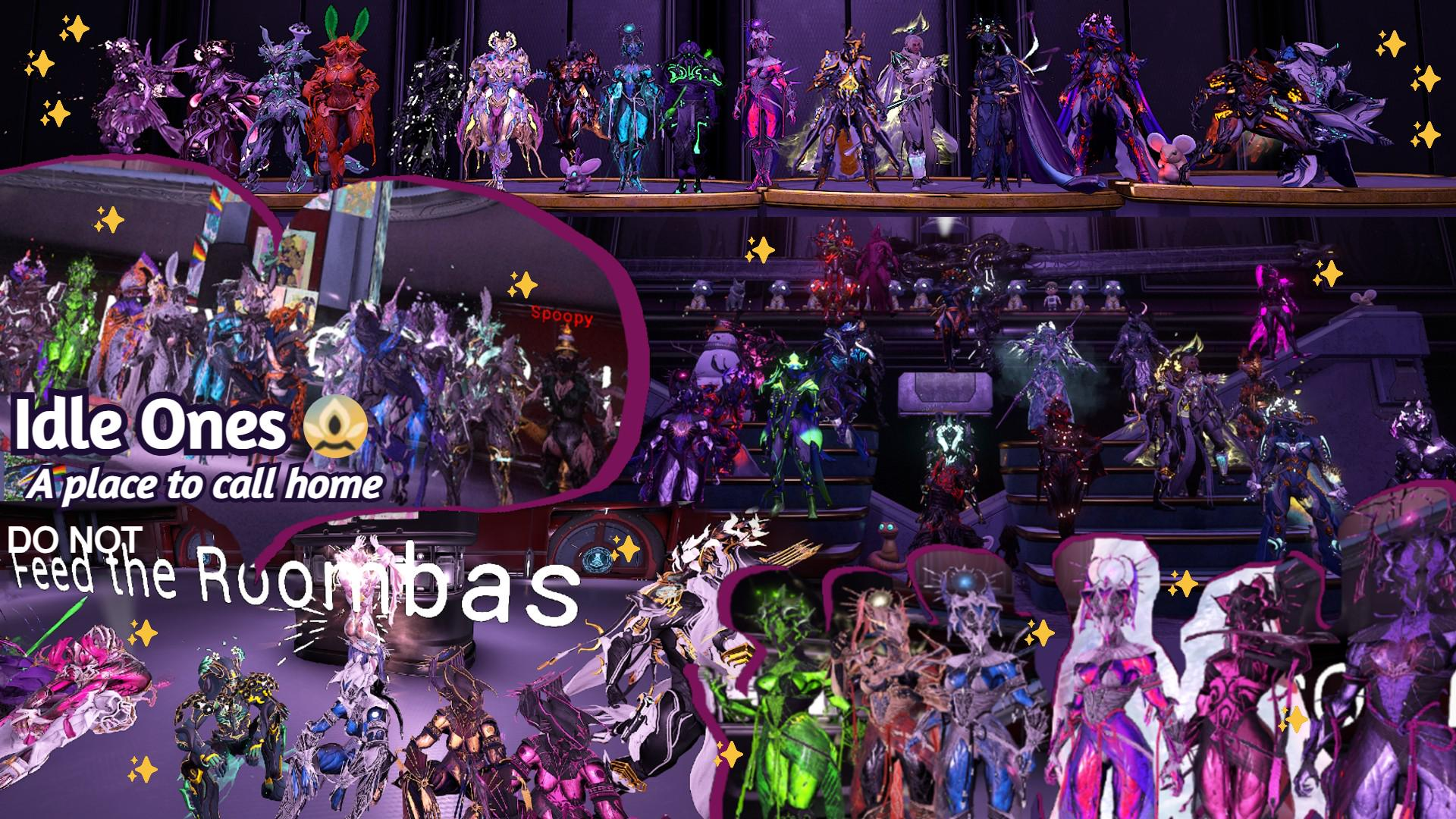 Idle Ones
Warframe Clan & Community
A place to call home
The latest updates and announcements from across the Idle Ones community.
OpenLive day and night cycle timers for Cetus, Orb Vallis, and Cambion Drift.
OpenClan nights, hosted runs, and community get togethers from our calendar.
OpenMeet the leadership, the teams, and every member who makes Idle Ones home.
OpenFrom the clan
The latest updates and announcements from across the Idle Ones community.
Aulu wrote me, aulu owns me
hell yeah it is
Live from the Origin System
Open world day and night states across the Origin System, ticking live. Plan your bounties, fishing, and mining runs around them.
Loading world state
Mark your calendar
Clan nights, hosted runs, and community get togethers, straight from our event calendar.
How we are organised
A community runs on the people who keep it standing. Here is everyone who makes Idle Ones home, from leadership to every member.
Founder and final authority of Idle Ones, guiding its long-term vision and future direction
Clan/community co-founders, ultimate authority, oversees and manages all staff branches and IO long-term/short-term strategy, reports to the Supreme Leader
Highest achievable honor for staff members, responsible for general management of the community and oversight of staff teams, reports to IO Founders
Highly trusted person managing specific staff team(s), ultimate authority on those team(s), reports to IO Founders
Manages specific staff team(s), ultimate authority on those team(s), reports to IO Founders
Responsible for making sure we follow Discord/Warframe ToS, community safety and moderation strategy. They are the reason Discord does not delete our server, a lot of hard work that no one sees
Responsible for growth, recruitment, letting in new members to our clans and our overall recruitment strategy. They are the reason we have a community at all
Responsible for creating, hosting and managing events within IO. Key to making the community special, and very difficult work
Specially trusted people able to decorate our dojos. They are the reason we have a place to call home within Warframe
A special staff team that helps promote IO content and content creators within IO. Like partnerships, in return they keep a reference to IO somewhere (such as the description of a video or stream)
VIP members
The lifeblood of our community, the members of our clan
Participant in our Minecraft community server
Registered guests of the community
Guests of the community
Why Idle Ones
We are a relaxed, drama free Warframe community built around helping each other and having fun. Here is what you get when you join us.
New or veteran, solo or squad, everyone fits in. No gatekeeping, no toxicity, just Tenno who want a good time.
Stuck on a boss, a build, or a quest? Ask in chat and someone will jump in. We love helping people grow.
Eidolon hunts, Profit-Taker, fissures, and Steel Path runs. Find a squad fast instead of pugging it alone.
Every research, every lab, and trade ready. Get the blueprints and resources you need to keep progressing.
Clan nights, contests, and regular giveaways. There is always something happening and prizes to win.
Currency, minigames, music, world timers and more, all baked into the Discord. Check the command guide to see it all.
Our story
Every clan has an origin. Here is ours, told the way the Tenno tell it.
Idle Ones began as a handful of friends who kept logging in just to hang out between missions. The grind was better with company, so the company grew.
What started as a squad became a home. People stayed not for the loot, but for the conversations, the late night Eidolon hunts, and the inside jokes that never end.
The Dojo rose research by research, the Discord filled with bots and channels, and a second clan opened its doors. Idle Ones became a community, not just a name.
Every new member writes the next chapter. Wherever the Origin System takes us next, we go together. The door is always open, Tenno.
Everything our bots can do
The complete reference for every command across our community bots. Pick a category or search for what you need.
Check your own or someone else's server profile, activity, and level.
/profile [user]
View a detailed profile card showing your IGN, Discord level, weekly activity, tracked roles, boost status, account age, and clan membership time.
Leave user blank to see your own.
/age [user]
See how long someone has been in the server.
Example: /age @Mango
/staff
Show the current staff team and their online status.
!level
Check your current XP and how much you need to level up.
/ranking
Display the server XP leaderboard.
/activity [weeks_ago]
Detailed activity breakdown for a given week. Defaults to the current week.
Example: /activity weeks_ago:2
/weeklystats [user]
Quick weekly stats for yourself or another member (messages sent, VC time, rankings).
/fourweekstats
Your activity over the last 28 days.
/fourweekactivity
Detailed 28-day activity breakdown with trends.
/topchat
Top 5 most active chatters this week.
/topvc
Top 5 members with the most voice chat time this week.
/yearinidle [year]
Your personalized Year in Idle recap. Total messages, your rank, top words, activity patterns, favourite channels, and a fun persona based on your stats.
Example: /yearinidle year:2025
!roles
Browse and toggle your saved roles with a dropdown menu. Handy for showing or hiding specific roles on your profile.
The server currency. Earn AuluBucks through activity, dailies, and games, then spend them in the shop.
/aulubucks balance [user]
Check your balance, or someone else's.
Example: /aulubucks balance @Mango
/aulubucks spin
Spin the daily slot machine for a chance to win AuluBucks. One spin per day.
/aulubucks roulette
Spin the daily roulette wheel. Different payouts, one attempt per day.
/aulubucks leaderboard
See the richest members on the server.
/aulubucks removerole
Remove a timed role you bought from the shop before it expires. No refunds.
/aulubucks help
Quick overview of the AuluBucks system.
/shop
Browse and buy from the AuluBucks shop. Navigate with the interactive buttons.
/aulubox view
See how many AuluBox crates you currently have.
/aulubox open
Open one crate and receive a random reward.
Mirai is the server's AI assistant. She answers questions about Warframe and the server, looks up prices, fetches wiki info, and more. All Mirai commands use the `?` prefix.
?mirai <question>
Ask Mirai anything. She can answer questions about Warframe (wiki lookups, market prices, builds, mechanics), the server (rules, channels, roles), and general conversation.
Rate limit: 2 questions per hour (5 for Patreon supporters).
Example: ?mirai What's the best way to farm Endo?
?img <description>
Generate an AI image from a text description. Uses a quota system, check with staff for availability.
Example: ?img a warframe operator standing on the plains at sunset
/reset_context [user]
Reset your conversation context with Mirai. Useful if she is confused or you want a fresh start. Staff can reset another user's context by specifying them.
/ai_stats
View AI usage statistics for the server.
?topic
See the current conversation topic in the AI channel.
Price alerts
Ask Mirai to set up price alerts for Warframe items and she will DM you when an item drops below your target.
Say something like ?mirai Set a price alert for Ignis Wraith below 15p, or ?mirai show my alerts to manage them.
Handy Warframe utilities built into the bot.
/price <item>
Look up the current market price for any tradeable Warframe item. Shows live orders and a price trend graph. Supports autocomplete, just start typing.
Example: /price Ignis Wraith
/worldstate
Displays the current Warframe world state: open-world day/night cycles (Cetus, Cambion Drift, Orb Vallis, Duviri), Baro Ki'Teer status, Circuit rotations, Nightwave, and daily reset timer.
/castingspeed
Generates a graph showing how casting speed modifiers affect ability cast times. Useful for build planning.
/koumei
Roll Koumei's magical dice and see what fate has in store. Each die has a different elemental effect.
Catch, collect, and care for cats. This system works in the dedicated cat channel and uses no prefix, just type the command directly.
cat
Catch a random cat. Each has a unique breed, rarity, personality, quirk, and stats.
Rarities: Common, Uncommon, Rare, Epic, Mythic. Plus a tiny chance of a Shiny cat.
5-minute cooldown, 12% chance the cat escapes.
cats [page]
List your cat collection, 3 per page.
Example: cats 2
view <id>
View a specific cat's details, stats, mood, hunger, and bond.
Example: view 7GQX
pet <id>
Pet one of your cats. Raises mood and bond, with a 15% chance of getting scratched.
feed <id>
Feed a cat. Costs 8 treats. Reduces hunger, raises mood and bond.
release <id>
Release a cat back into the wild. You get treats based on the cat's rarity, stats, and bond level.
give <id> @user
Gift one of your cats to another player.
Example: give 7GQX @Mango
favorite / unfavorite <id>
Mark a cat as a favourite to protect it from accidental release.
rename id <old_id> <new_id>
Change a cat's short ID to something you prefer (1 to 8 characters, letters and numbers).
Example: rename id 7GQX LUNA
buy name <id>
Reroll a cat's nickname for 5 treats.
daily
Claim your daily treats and refresh all your cats' stats. Streaks give bonus treats, and completing all daily quests adds +20 more.
quests
View your 3 daily quests. Quests reset at midnight UTC.
stats
See your overall cat stats: rank, unique breeds, lifetime quests completed, total treats earned.
catdex [collected | missing | all] [page]
Browse your Catdex to track breed collection progress.
Example: catdex missing 2
catdex leaderboard [page]
See who has the most unique breeds collected. You can also type catdex lb.
favorites [page]
List only your favourited cats.
search breed/name/id <query> [page]
Search your collection by breed, nickname, or ID.
Examples: search breed persian / search name fluffy / search id LUNA
cat help
Show the in-game help card with all cat commands.
Claim a TTS bot to read your messages aloud in voice chat. There are multiple TTS bots available. All commands use the `!t` prefix.
!tjoin
Claim a TTS bot. It joins your voice channel and starts reading your messages aloud.
!tleave
Release the TTS bot so someone else can use it.
!tvoice
Open a dropdown menu to pick a different voice for the TTS bot.
!tvoices
List all available TTS voices.
!tpeek <text>
Generate a private preview of how text would sound in your current voice.
Example: !tpeek Hello, how does this sound?
!tskip
Skip the message currently being read aloud.
!ta <word> <replacement>
Add or update a personal abbreviation. The TTS bot replaces the word when reading your messages.
Example: !ta brb be right back
!tr <word>
Remove a personal abbreviation.
Example: !tr brb
!talist
List all your saved abbreviations.
!thelp
Show the TTS help card.
Miscellaneous commands for fun and everyday use.
!8ball <question>
Ask the Magic 8-Ball anything and receive a mystical answer.
Example: !8ball Will I get a legendary drop today?
!meme [category]
Get a random meme. Optionally specify a category: cat, wholesome, or a subreddit name.
Example: !meme wholesome
!remindme <time> <text>
Set a reminder. The bot will ping you when the time is up.
Example: !remindme 2h Check the foundry
!wat <number>
Convert a number to words. Works with huge numbers too.
Example: !wat 123456789
/oracle
Consult the oracle and receive your fortune.
/spray <user>
Spray someone with a water bottle.
/snippet <name>
Retrieve a saved text snippet by name.
Example: /snippet market
/suggest <word> <hint>
Suggest a new word and hint for the word guessing game.
!access
Get the link to the bot dashboard.
!aulunet
Get the link to AuluNet.
A PvP spell-casting system. Cast spells at other players, upgrade your HP, and climb the ranks. Casting costs 2 AuluBucks per spell.
/spells cast <user>
Cast a random spell at another player. Deals 1 to 60 damage depending on the spell, with a 30-second cooldown.
There is a ~20% chance of a chaos event: crits, backfires, healing, AuluBucks rain, collateral damage, Uno reverse, pocket sand, and more.
Example: /spells cast @Mango
/spells status [user]
View your or someone else's combat stats: HP level, current HP, kills, and deaths.
/spells upgrade
Buy an HP upgrade. Each level gives +25 max HP.
Cost: 50 + (your level x 30) AuluBucks. Max level 20.
/spells heal
Heal yourself using AuluBucks (2 AuluBucks per HP).
/spells revive
Revive yourself after being knocked out. Costs 30 AuluBucks.
/spells leaderboard
See the top spell duelists on the server.
/spells help
Learn how the spell system works.
A daily Wordle puzzle, right here in Discord. New word every day.
/wordle guess <word>
Submit a 5-letter guess. You get green, yellow, and gray tiles just like the real thing.
Example: /wordle guess crane
/wordle stats
View your personal Wordle stats (win rate, streak, guess distribution).
/wordle leaderboard
Server Wordle leaderboard.
/wordle info
Check info about today's puzzle (puzzle number, time until next word).
/wordle share
Share your result grid (spoiler-free) so others can see how you did.
A brick-themed minigame with duels and leaderboards. All commands use the `!` prefix.
!brick [@user]
Play the brick game. Optionally target another player.
Example: !brick @Mango
!brickshop
Browse the brick shop for upgrades and items.
!brickboard
View the brick points leaderboard.
!brickrecord
See all-time brick records.
!duels
View brick duel history and stats.
!bricklog
See your recent brick activity log.
!brickhelp
Full explanation of how the brick system works.
!brickoptin / !brickoptout / !brickoptstatus
Toggle whether you participate in the brick minigame, or check your current setting.
Create and manage server events with signups, countdowns, and automatic pings.
/createevent
Start a new event. You set a name, time, max slots, and description.
Time can be relative (+30m, +2h, +1d) or exact (2025-12-31 20:00). Participants join and leave with buttons on the event post.
Requires Event Team role.
/events
View all currently active events and their details.
/eventinfo <event_id>
Full details for a specific event, including the participant list and join/leave buttons.
/pingevent <event_id>
Ping all participants of a specific event.
Requires Event Team role.
/pingevents
Ping the events role.
Requires Event Team role.
/createeventvcs
Create up to 30 temporary voice channels for an event.
Requires Event Team role.
/cleareventvcs
Remove all temporary event voice channels.
Requires Event Team role.
Create polls with up to 10 options. Members vote with buttons.
/poll <name> <options> [duration] [single_vote]
Create a new poll. Set a question, number of options (up to 10), optional duration, and whether members can only vote once.
Example: /poll name:Best pizza topping? options:4
/activepolls
List all polls that are currently open for voting.
/pollresults <poll_id>
View results of any poll (open or closed).
/closepoll <poll_id>
Manually close a poll before its timer runs out.
/deletepoll <poll_id>
Permanently delete a poll.
Admin only.
Save your birthday so the server can celebrate you.
/birthday set <date>
Save your birthday. Format DD-MM, or DD-MM-YYYY to include your birth year.
Example: /birthday set 25-12 or /birthday set 25-12-2001
/birthday setyear <date> <year>
Add your birth year after already setting a birthday.
Example: /birthday setyear 25-12 2001
/birthday view [user]
See when someone's birthday is.
Example: /birthday view @Mango
/birthday upcoming
Show the next 10 upcoming birthdays on the server.
/birthday status
Check when the next birthday sweep runs.
The community starboard. React to any message with the sparkle emoji to nominate it. If it gets enough reactions, it lands in the Hall of Shame with upvote and downvote buttons.
/shameboard
View the all-time Hall of Shame leaderboard.
/shametop
See this week's top shamed messages.
Play music from the bot's library in voice chat. All commands use the `!` prefix.
!join
Have the bot join your current voice channel.
!leave
Disconnect the bot from voice.
!play <query>
Play a track from the music library. Search by name.
Example: !play chill vibes
!skip
Skip the currently playing track.
!now
Show what's currently playing.
!library [page]
Browse the full music library, page by page.
Example: !library 3
!panel
Post an interactive music control panel (lasts 60 seconds).
Server Boosters can set a custom name color.
!color
Opens the color picker. Choose from preset colours (Blurple, Green, Yellow, Fuchsia, Red) or enter a custom hex code for a solid colour or a dual-colour gradient. The system checks contrast to keep your name readable.
Requires Server Booster role.
Mess with someone's (or your own) profile picture. These use the mentioned member's avatar, leave blank to target yourself.
!pickle <user>
Turn someone's avatar into a pickle. Sponsored by Kay.
Example: !pickle @Mango
!forehead [user]
Give someone an absurdly enormous forehead using AI.
Example: !forehead @Mango
!censor <user>
Blur the avatar and slap a black bar over the eyes.
Example: !censor @Mango
!trash <user>
Stuff someone's avatar into a trashcan.
Example: !trash @Mango
!dream <user>
Place someone's avatar inside a Lotus helmet.
Example: !dream @Mango
!jail <user>
Draw jail bars over someone's avatar.
Example: !jail @Mango
!unjail <user>
Break the jail bars, freedom.
Example: !unjail @Mango
!santa <user>
Add a Santa hat and some snow to someone's avatar.
Example: !santa @Mango
Server giveaways with automatic winner selection.
/giveaway
Start a new giveaway. Members enter by reacting to the giveaway post.
Admin only.
/pinggiveaways
Ping the giveaway role.
Staff only.
!giveaways
List all currently active giveaways and their details.
!reroll <message_id> [amount]
Reroll one or more winners for a giveaway.
Example: !reroll 123456789 2
Admin only.
Need help from staff? Open a ticket for private support.
/ticket
Open a support ticket. A pop-up asks for the reason, your IGN if relevant, and other details depending on the ticket type (joining, verifying, general help). A private channel is created for you and the staff team.
/add_to_ticket <user>
Add another member to the current ticket channel so they can see and participate.
Staff only.
!close
Close the current ticket. A transcript is saved before the channel is deleted.
Staff only.
Lock your voice channel and control who joins through a request system. No commands needed, everything works through buttons.
How it works
1. Lock your VC using the lock button.
2. Other members see a Request to Join button on your channel.
3. You receive the request and can approve or deny it.
4. Unlock your VC at any time with the unlock button.
Commands for managing clan membership and in-game names. Most require a staff role.
/clan <user> <ign>
Add a member to the IdleOnes clan with their in-game name.
Requires Scout role or higher.
/clan2 <user> <ign>
Add a member to the IdleTwo clan with their in-game name.
Requires Scout role or higher.
/unclan <user>
Remove a member from the clan.
Requires Advisor role or higher.
/guest <user> <ign>
Verify a guest member and set their IGN.
Requires Scout role or higher.
/setign <user> <ign>
Set or update a member's Warframe in-game name.
Requires Scout role or higher.
/ign <user>
Look up someone's registered Warframe IGN.
Example: /ign @Mango
/sign <user>
Same as /ign but the response is only visible to you.
/reverseign <ign>
Find the Discord user linked to a Warframe IGN.
Example: /reverseign TennoSlayer99
Commands for moderation and server management. These require staff roles.
/banuser <user>
Ban a member from the server. Rate limited to 2 bans per 10 minutes.
Admin only.
/purge
Bulk-delete messages in the current channel.
Admin only.
/cleannick <user>
Remove non-ASCII characters from a member's nickname.
Admin only.
/movevc <source> <target>
Move all members from one voice channel to another.
Admin only.
/botban <user> / /botunban <user>
Ban or unban a user from using the bot.
Requires Advisor role or higher.
/say <text> / /reply <text>
Make the bot say or reply with a message.
Requires Aulu+ role.
/reloads
Reload the snippet database.
Requires Scout role or higher.
!banish / !unbanish <channel>
Restrict or unrestrict a channel.
Admin only.
/cleanxp
Remove XP data for users who have left the server.
Admin only.
Staff team role management
Add or remove members from staff teams. All require Overseer role or higher./recruiter / /unrecruiter / /recruiter2/eventer / /uneventer/moderator / /unmoderator/icon / /unicon
?staffreport [weeks]
Generate a detailed staff activity report covering chat, voice, in-game actions, and ticket handling.
Example: ?staffreport 2
Admin only. Uses Mirai AI bot.
Admin utilities
/inactive Remove inactive members by IGN!inactive Same, but also reads names from screenshots/refreshticket Fix timed-out ticket buttons!savestate Save current server state!serverinfo Show server statistics!sysinfo Show system and hardware info!logs [lines] View recent bot logs!restart Restart the bot!speedtest Run a network speed test
Sticky messages
!stickypin <text> Set a sticky message that re-posts after channel inactivity!stickyunpin Remove the sticky from the current channel!stickypins List all active sticky messages
No commands match your search.
In the forge
Member profiles, event signups, clan stats and more are on the way. For now, come find us where the Tenno gather.